
How to Subscribe to Gspec’s Money Tree via FXBlue Trade Copier
Welcome! This guide will show you step by step how to connect your trading account to Gspec’s Money Tree using FXBlue Trade Copier. You don’t need to install the bot, trades are automatically copied to your account. Whether you’re new to trading or trade copiers, we’ll make the process easy to follow.
Step-by-Step Instructions
-
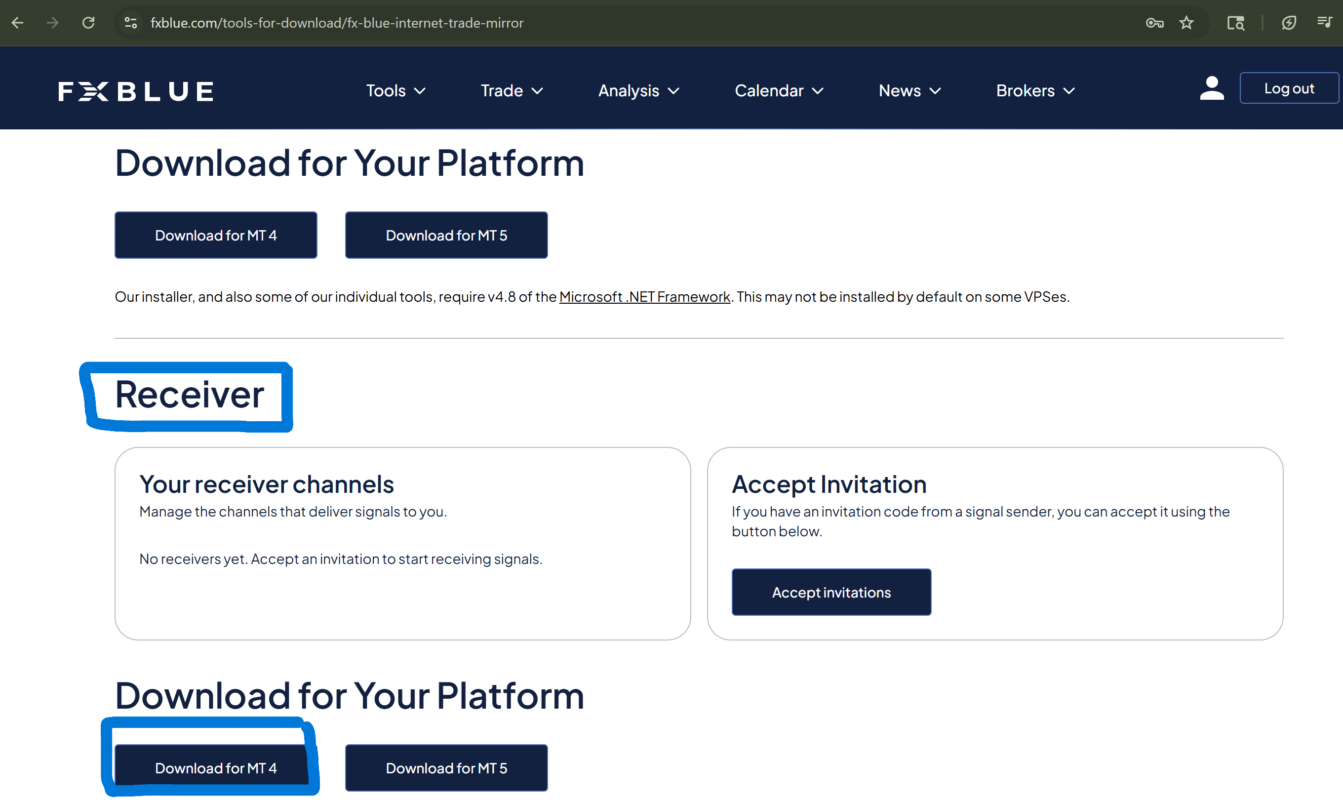
Go to fxblue.com → Tools → Trade Copying → Internet Trade Mirror → Receiver
-
Download the receiver for MT4 or MT5
-
Install it and select the accounts you want
-
Click OK once installation completes
-
Open MT4 and drag the InternetMirror Receiver EA onto a chart
-
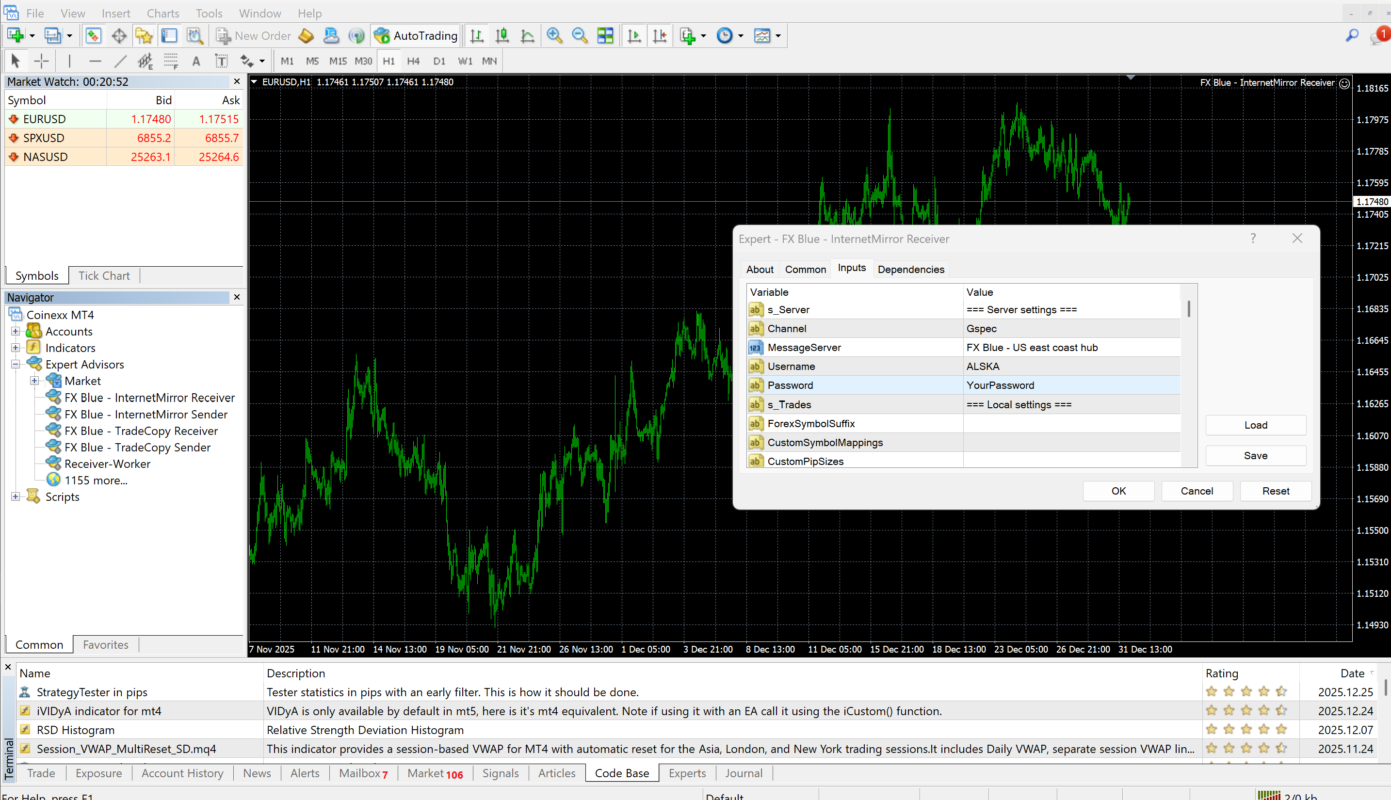
Inputs Menu:
-
Enter Channel Name: (Receive Channel name from chat)
-
Select Message Server: FX Blue US East Coast Hub
-
Enter Your FXBlue username & password
-
Disable UseRiskFactor and set LotSizeMultiplier appropriately
-
-
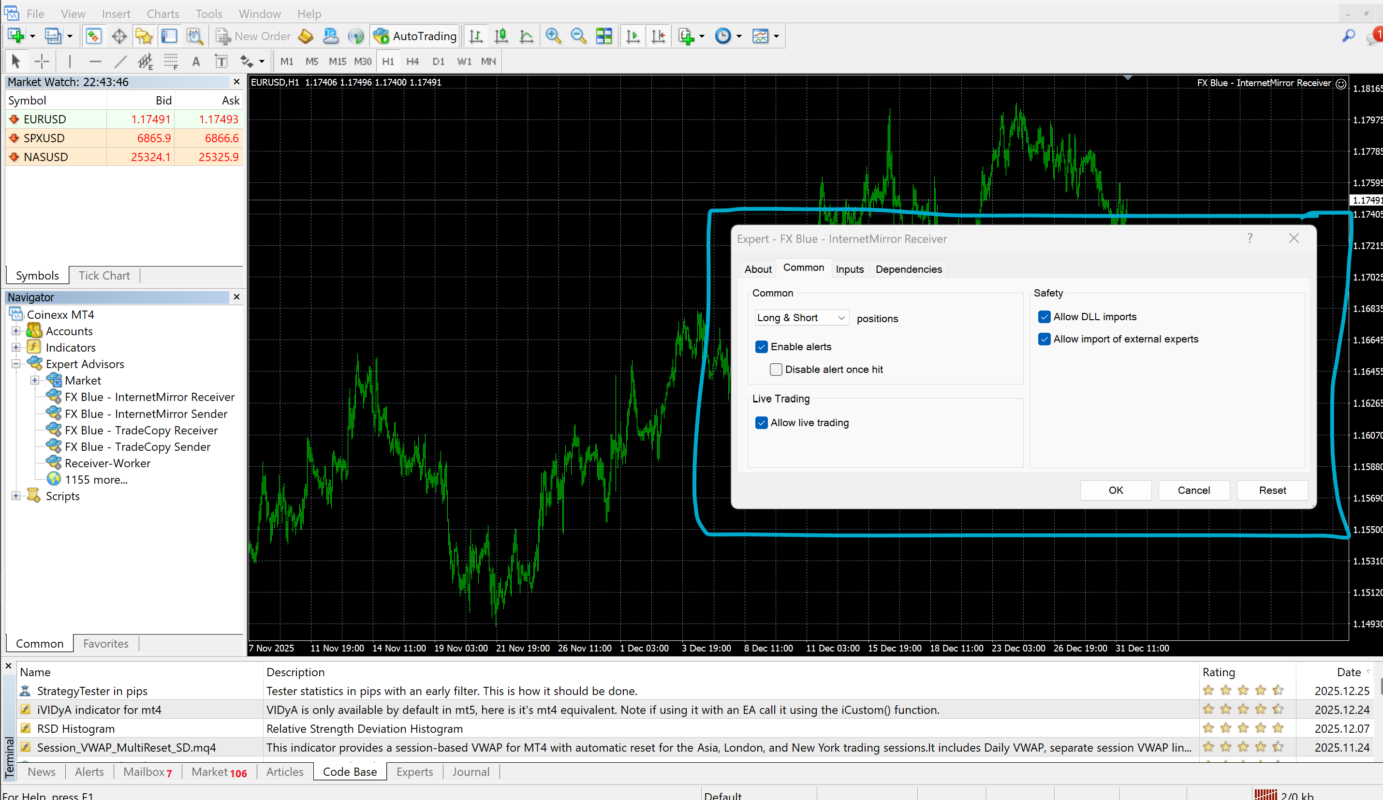
Common Tab: Ensure Allow DLL Imports, Allow Live Trading, Allow Import of External Experts are checked
-
Click OK
-
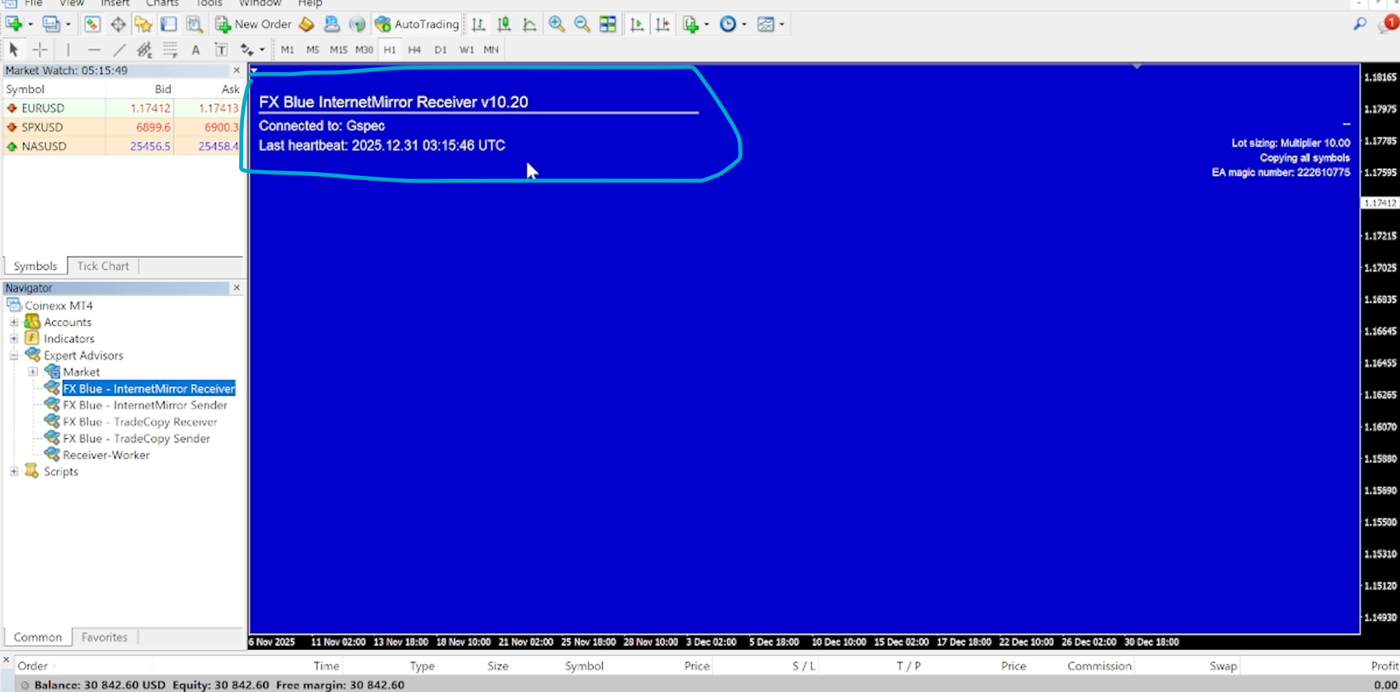
Check that Last Heartbeat is connected
-
If not, go to Tools → Options → Expert Advisors and check Allow DLL Imports
-
Option A – PC:
-
Keep MT4 open and connected to the internet 24/7
Option B – VPS (Recommended):
-
Install MT4 on a VPS
-
FXBlue will run continuously, avoiding downtime
-
-
Connect a demo account first
-
Test FXBlue connection and ensure trades copy correctly
-
Adjust LotSizeMultiplier if needed